Caffeine for Windows
A tiny freeware tray utility that keeps a Windows PC awake through periodic F15 events or the Windows execution-state API.

Caffeine 1.98 is Zhorn Software's portable Windows utility from November 2024. It starts active by default, normally sends an F15 key-up event every 59 seconds, and can be paused from its coffee-pot tray icon.
Editorial description
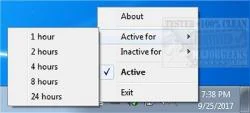
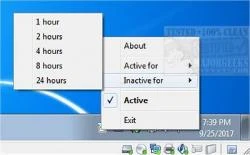
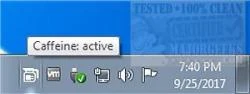
Caffeine is deliberately minimal: run the appropriate 32-bit or 64-bit executable from the downloaded ZIP and a coffee-pot icon appears in the notification area. A full pot means the utility is active; double-clicking empties the pot and pauses it, and another double-click resumes it. With no parameters, Caffeine emits an F15 key-up event every 59 seconds so Windows sees keyboard activity and does not lock, start the screen saver, or enter sleep.
Command-line switches make that simple behavior much more precise. A leading number changes the interval; -startoff, -activefor, -inactivefor, and -exitafter control timing, while -activeperiods, -watchwindow, -onac, and -cpu add conditions. -stes asks Windows to stay awake without generating F15 activity, and -allowss preserves the screen saver. Simulated keys can affect some applications, so the API modes are worth considering when visible user activity is not required.
Features
One-icon operation
Runs from the notification area, with the filled or empty coffee pot showing the current state and a double-click toggling it.
Several wake methods
Uses F15 every 59 seconds by default, or can use Shift, another virtual key, a full keypress, or SetThreadExecutionState.
Timed and conditional activity
Can run for selected durations or periods and react to a window title, AC power, CPU load, or workstation lock.
Scriptable instance control
Switches can enable, disable, toggle, replace, or terminate an existing Caffeine instance from shortcuts and scripts.